Tech & Gadgets

Best Dog Cameras of 2026

The latch clicks, the door shuts, and the question starts: is she asleep on the couch, or pacing by the front door? A dog camera answers it in about ten seconds of thumb-scrolling — a live view of the living room, a saved clip of the mail carrier, a two-way speaker to say "leave it" from your desk. What it fixes isn't surveillance. It's the low hum of not knowing.

I've had one on my kitchen counter for most of a year, and the gap between a camera I trust and one I quietly unplugged came down to a few things: night vision that resolves a black dog in a dim room, alerts that don't fire every time a curtain moves, and a setup that works on the first try. We've spent six months with 12 of these, from budget plug-ins to treat-tossing models, and the spread is wider than the spec sheets suggest. The treat tosser is what your dog notices; the picture and the connection are what you'll notice. Here's where each one landed.

1

Tapo C200

Top Pick
Tapo C200

Budget pan/tilt

Our Score 9.0/10
Check Price

Worth Noting

  • Connection can drop or fail
  • Only 2.4GHz Wi-Fi
View
360° horizontal, 114° vertical
Storage
Micro SD up to 512 GB
Resolution
1080p
Night Vision
30 feet
Read the full review

The Tapo C200 makes the budget case for a dog camera. It pans 360 degrees horizontally and tilts 114 degrees vertically, so one camera can sweep a living room or follow a dog from the couch to the door. Two-way audio lets you talk, and local microSD storage means you can skip cloud fees.

The 1080p picture is clear enough in daylight, and infrared night vision reaches 30 feet, which is plenty for a normal room. Setup through the app is simple, and the camera supports cards up to 512GB, so you can keep a long local record. The pan and tilt controls are responsive enough to sweep a room, and two-way audio lets you say hello or settle a bark.

That is why we think the C200 is the best budget pan/tilt camera here: it covers the motions that matter without a subscription. The 1080p feed is not as detailed as the 2K and 4K options, but for checking on a dog it is sharp enough. The app also supports Alexa and Google Assistant, so you can pull up the feed on a screen if you have one.

Bottom line: For a first dog camera or a spare room, the Tapo C200 gives you pan, tilt, night vision, and two-way audio without a subscription.
2

Furbo 360 Dog Camera

Furbo 360 Dog Camera

Treat tossing

Our Score 8.8/10
Check Price

Worth Noting

  • Paid plan required to activate
  • Can drop its Wi-Fi connection
Plan
Paid plan required to activate
View
360 degrees
Resolution
1080p
Night Vision
Night Color
Read the full review

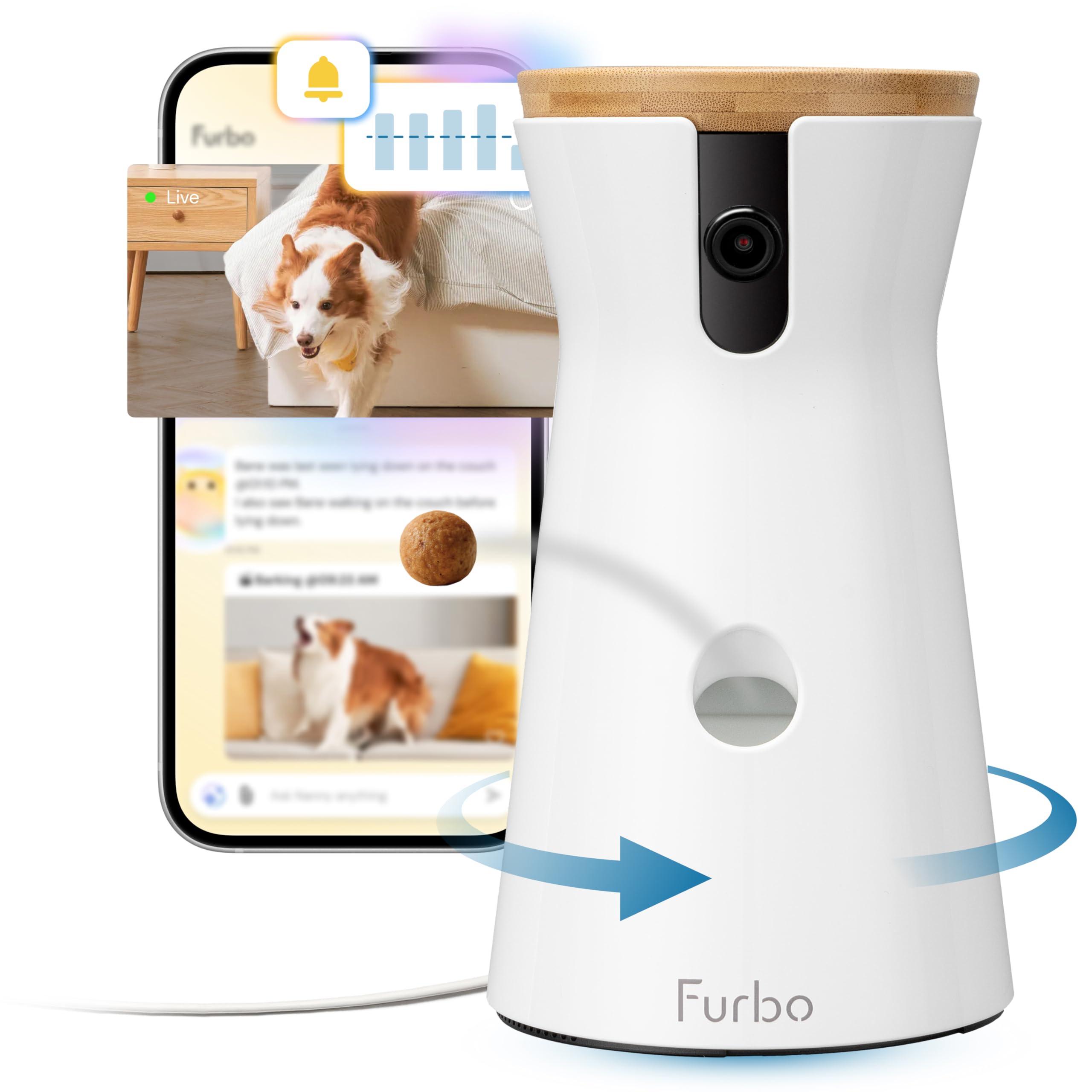
A dog camera earns its place when it does something a plain security camera cannot, and the Furbo 360's treat toss is the clearest example. The 360-degree view follows a dog around a room, and the app-controlled launcher gives you a way to interrupt a bark or reward a quiet moment from wherever you are. The barking and activity alerts are built around pet behavior rather than generic motion, which is why the Furbo feels like a dog product instead of a repurposed security cam.

We think that combination is why it is our top pick for dog parents: it watches the room and gives you a small, useful action to take. The 1080p feed will not match the 4K cameras here for fine detail, but it is clear enough to recognize your dog and see whether they are on the couch or at the door. Color night vision keeps the room usable after dark, and setup is straightforward.

The treat bin is the detail that changes daily use. It turns a quick look at the phone into a bit of training or reassurance, and it gives the dog a reason to stay engaged with the camera instead of ignoring it. We also like that the camera can pan a full circle, so you are not stuck with one narrow view of the room.

Bottom line: For dog parents who want to toss treats and hear barking alerts from anywhere, the Furbo 360 is the most complete dog-focused camera we tested.

3

eufy Indoor Cam E30

eufy Indoor Cam E30

No-subscription 4K

Our Score 8.8/10
Check Price

Worth Noting

  • AI tracking can miss movement
  • MicroSD card sold separately for local recording
Plan
No subscription
View
360 degrees
Resolution
4K
Night Vision
Night Color
Read the full review

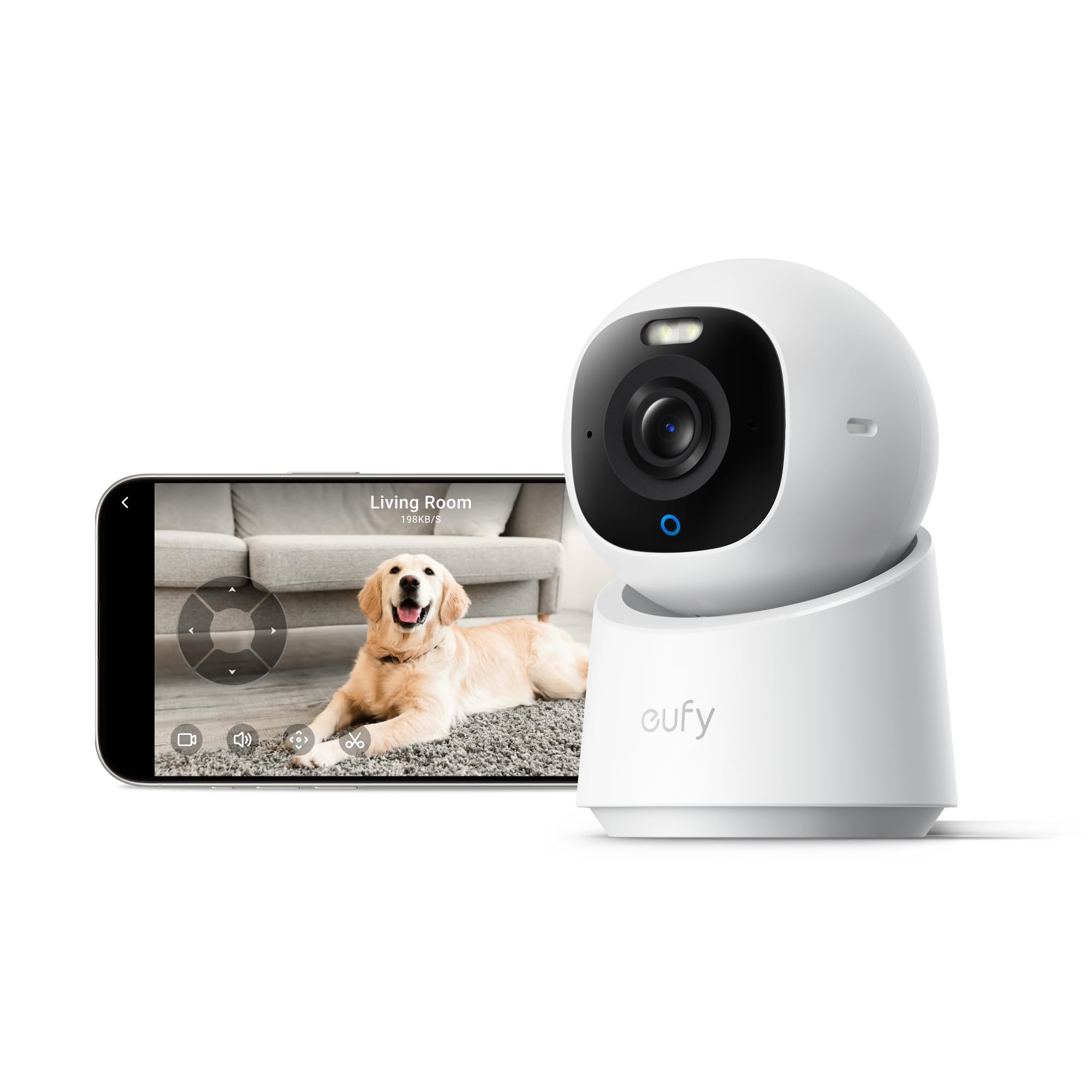
The eufy Indoor Cam E30 is the camera we point to when someone wants excellent picture quality without another monthly bill. It records in 4K, pans a full 360 degrees, and uses on-device AI to tell pets and people apart. We think it is the best no-subscription option here.

The color night vision and built-in spotlight make a dark room more usable than infrared alone, and the 4K feed is the most detailed in this group. That detail matters when you are trying to see whether your dog is chewing something or just napping. HomeKit, Alexa, and Google Assistant support also give it a place in a smart home, and the app is clean enough for daily check-ins.

Privacy mode rotates the lens toward the wall, which is a small thing that makes the camera easier to live with in a bedroom. Setup is quick, and the camera can record continuously to a microSD card. The 360-degree pan is smooth enough to sweep a living room, and the panoramic view helps you find the dog before you zoom in. The camera is corded, so placement depends on an outlet, but the included mount gives you a few options.

Bottom line: If you want 4K video and pet detection without a recurring plan, the eufy E30 is the no-subscription camera we recommend first.

4

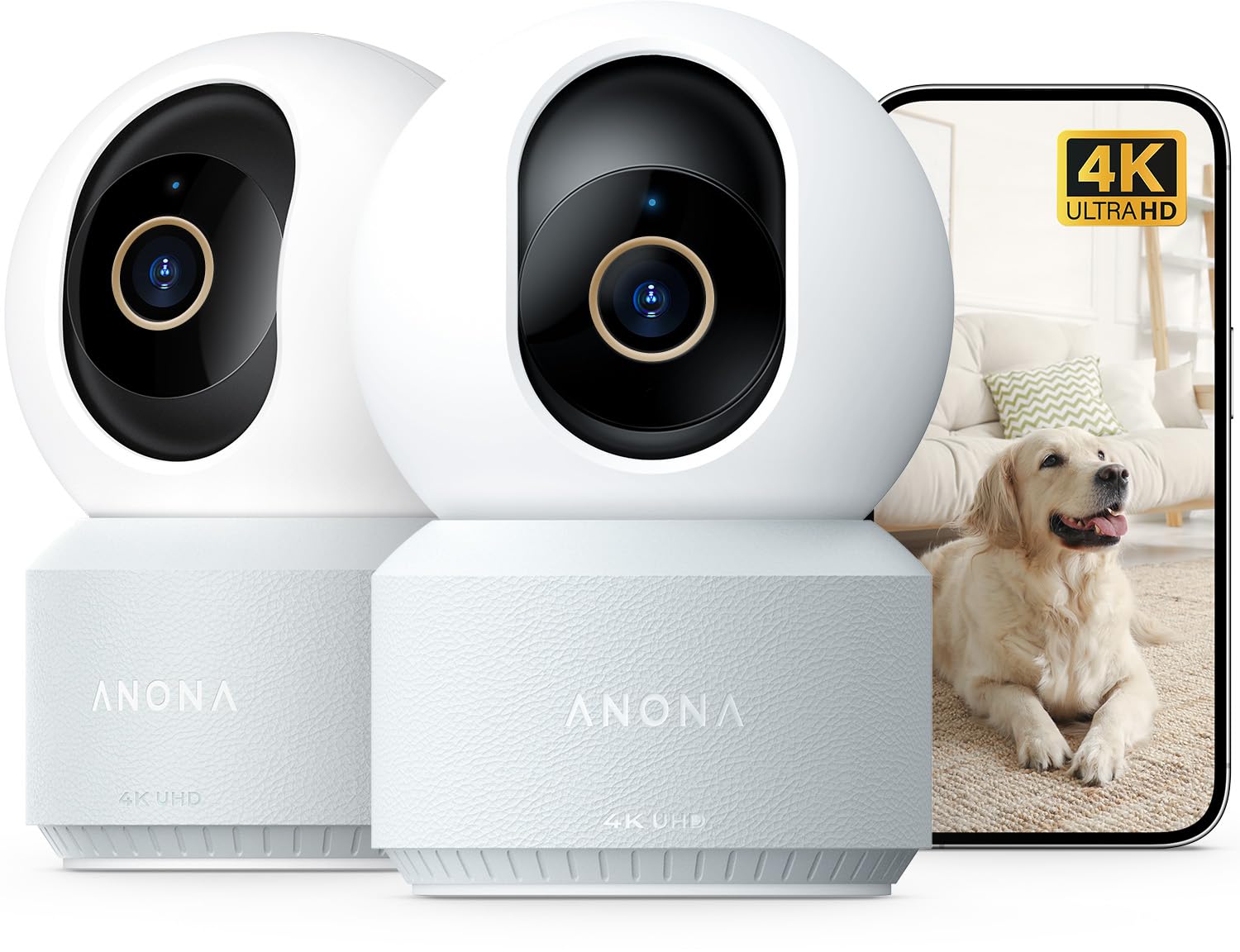
Anona Pano 2-Pack

Anona Pano 2-Pack

Multi-room coverage

Our Score 8.8/10
Check Price

Worth Noting

  • App connection can be fussy
View
355° pan, 110° tilt
Wi-Fi
Dual-band Wi-Fi 6
Detection
Person, pet, baby crying
Resolution
4K UHD
Read the full review

If your dog moves between rooms, one camera often ends up pointed at the wrong doorway. The Anona Pano two-pack solves that with two 4K cameras, each with 355-degree pan, 110-degree tilt, and AI detection for pets, people, and crying.

We like the dual-band Wi-Fi 6 support because it gives the cameras a better shot at a stable feed than the 2.4GHz-only models here. The 4K resolution is the sharpest in this group, and the auto-tracking feature is useful for following a dog across a room. The app also lets you share the live view with family members, which is handy for a partner or dog sitter.

Two cameras mean two placements, two power cords, and a bit more setup. The mounting plate gives you a tabletop or wall option, and the cameras can also be set to detect only pets if you do not want person alerts. That flexibility matters when one camera goes in a living room and the other goes in a hallway or bedroom.

That is why this is our multi-room pick: it gives you two good views without a subscription, and the app makes it easy to move between them. If you only need one room, a single camera is simpler; if you need to watch a hallway and a living room, the pair earns its keep, and the pet-only detection keeps alerts focused on the dog.

Bottom line: For a dog that needs more than one room covered, the Anona Pano two-pack is the multi-camera pick we recommend.

5

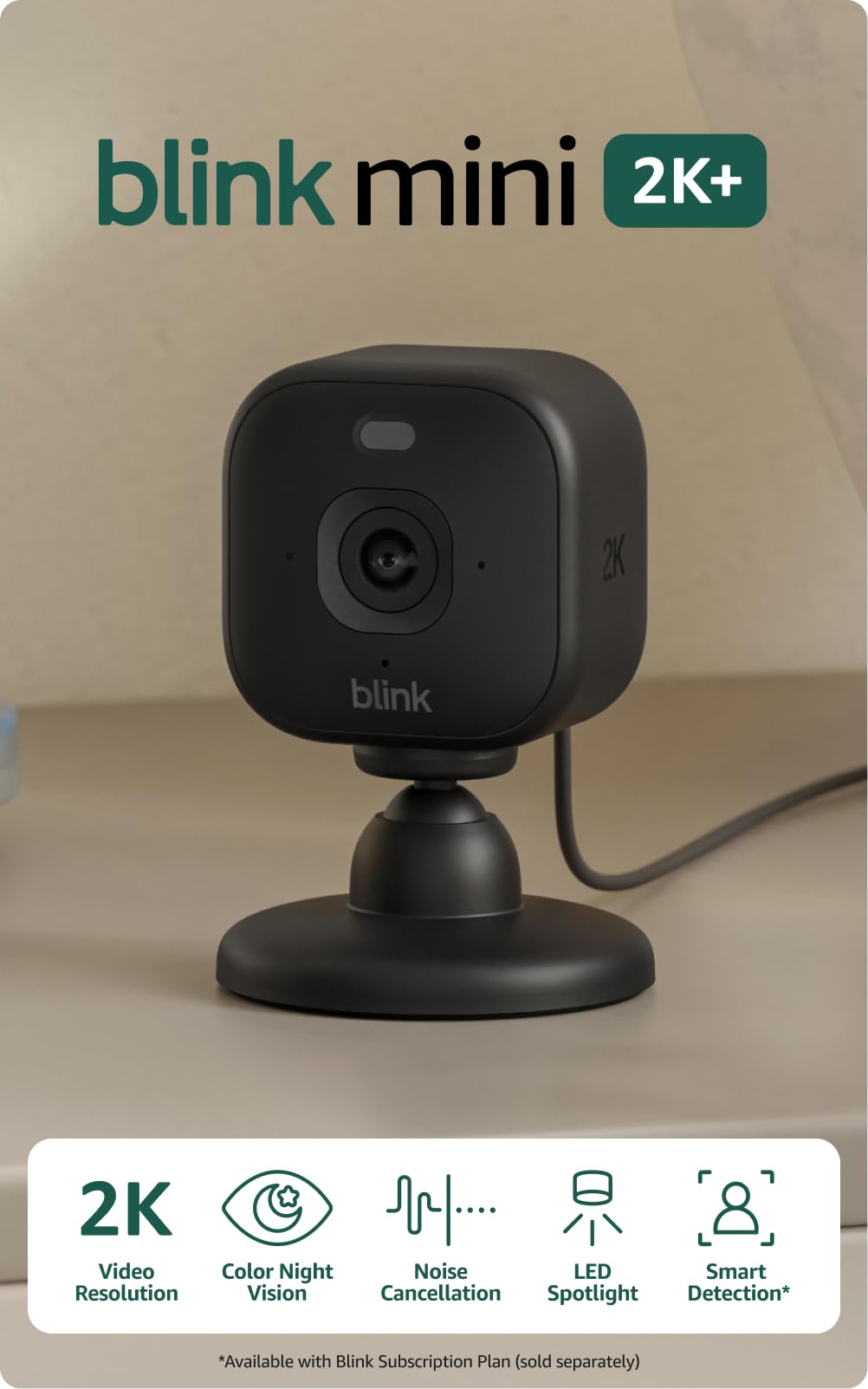
Blink Mini 2K+

Blink Mini 2K+

Simple plug-in

Our Score 8.8/10
Check Price

Worth Noting

  • No pan or tilt
  • Smart detection needs optional plan
Plan
Optional Blink Subscription Plan
Zoom
Up to 4x
Audio
Two-way talk with noise cancellation
Resolution
2K
Read the full review

We think the Blink Mini 2K+ is the best simple plug-in camera here. It is small, it shoots 2K video, and it has two-way talk with noise cancellation, so you can check a crate or a hallway without installing a pan/tilt unit.

The 2K picture is sharp, setup is quick, and the audio is clearer than the older Blink Mini. It also works well with Alexa, which makes it easy to pull up on an Echo Show. The camera is designed to sit on a shelf or mount on a wall, and the plug-in power means you do not have to think about batteries. The wide angle covers a small room without much adjustment.

We like the black finish for a shelf or a corner where it blends in, and the app is simple enough to hand off to another family member. The 2K feed gives you a clear look at a dog bed or crate, and the two-way audio is the feature we use most for a quick check-in. It is a straightforward camera that does not ask much of you.

Bottom line: For a crate, hallway, or single sleeping spot, the Blink Mini 2K+ is the simple plug-in camera we recommend.

6

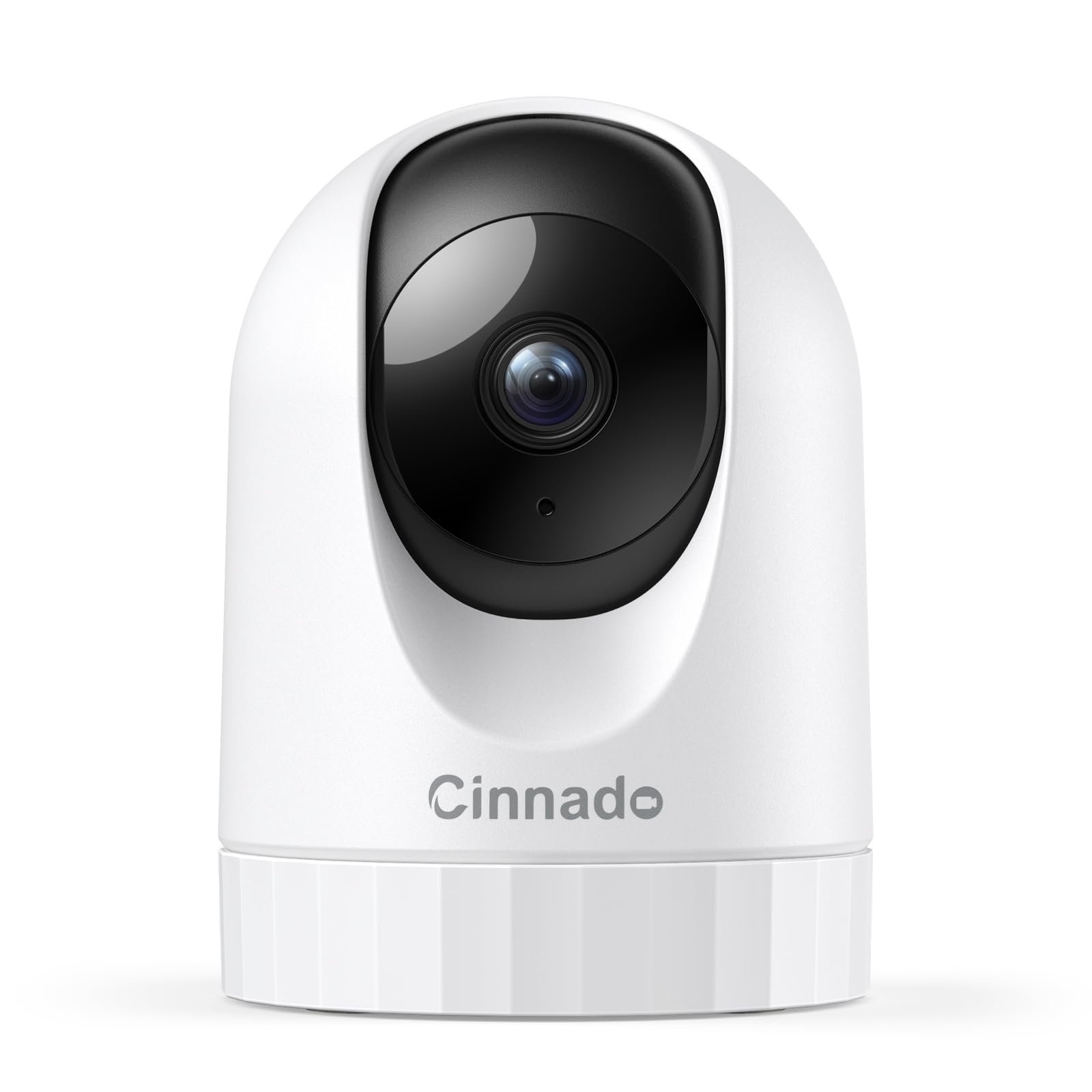
Cinnado D1

Cinnado D1

Cheap 2K

Our Score 8.6/10
Check Price

Worth Noting

  • Connection can drop or fail
  • 2.4GHz Wi-Fi only
View
360 degrees
Audio
2-way audio
Storage
Micro SD up to 128 GB
Resolution
2K
Read the full review

The Cinnado D1 is the camera that makes 2K look like the new baseline. It pans a full 360 degrees, records in 2K, and stores footage on a microSD card without a subscription. It is small enough to sit on a shelf, and the dome shape makes it easy to aim.

We think it is the best cheap 2K camera here. The picture is sharper than the 1080p budget models, night vision is strong enough to see a whole room, and setup is quick. For a dog that mostly stays in one area, it covers the basics without making you pay for cloud storage.

The 2K feed will not match the 4K cameras here for fine detail, but it is sharp enough to tell whether your dog is on the couch or at the door. We also like that the camera supports Alexa and Google Assistant, so it can fit into a smart-home routine. The 360-degree view and motion alerts are the parts we use most; the camera can sound a siren and send a push notification when it sees movement. The app is simple, and the camera includes a mounting bracket for a wall or ceiling.

Bottom line: For a low-cost 2K camera that covers a room and records locally, the Cinnado D1 is the budget pick we reach for first.

7

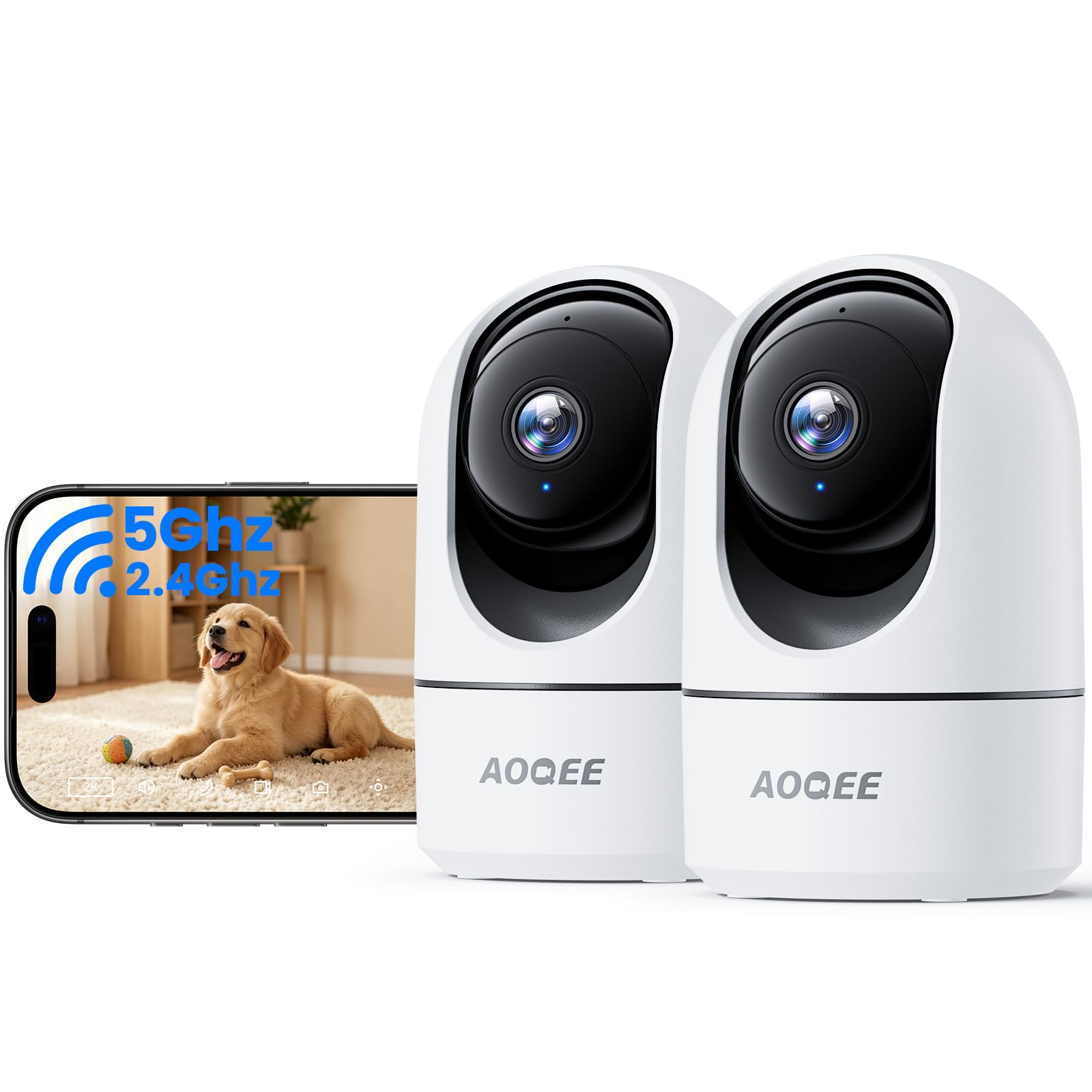
AOQEE G5 2-Pack

AOQEE G5 2-Pack

Budget two-pack

Our Score 8.6/10
Check Price

Worth Noting

  • Night vision reaches only 16 feet
Pack
2 cameras
View
360° auto tracking
Wi-Fi
2.4 GHz & 5 GHz, Bluetooth
Resolution
3 MP
Read the full review

The AOQEE G5 two-pack is the budget answer for covering two rooms at once. Each camera shoots 3MP video, pans a full 360 degrees, and supports both 2.4GHz and 5GHz Wi-Fi, which is unusual at this end of the range.

We like that the cameras can auto-track movement and share the live view with family members. Setup is quick with Bluetooth, and the app supports local storage on a microSD card, so you can avoid a subscription. The 360-degree pan makes it easy to sweep a room, and the dual-band Wi-Fi gives you a better shot at a stable feed than a 2.4GHz-only camera.

The 3MP picture is not as detailed as the 2K and 4K cameras here, but it is enough to see where your dog is. The two-pack makes more sense than buying two separate budget cameras if you need a living room and a bedroom covered, and the wall-mount kit gives you a few placement options.

That is why we see it as a budget two-pack rather than a top pick: it gives you two decent views without a subscription, as long as you do not need the sharpest picture or the strongest app. For a first multi-camera setup, it is an easy way to cover more of the house.

Bottom line: For a first two-camera setup on a budget, the AOQEE G5 gives you wide coverage and local storage without a subscription.

8

VIRTAVO XD1

VIRTAVO XD1

Dual-view monitoring

Our Score 8.4/10
Check Price

Worth Noting

  • App connection can fail
  • Audio can be noisy
Plan
No subscription
Lenses
Dual-lens, dual-view
Resolution
1080p
Night Vision
30 feet
Read the full review

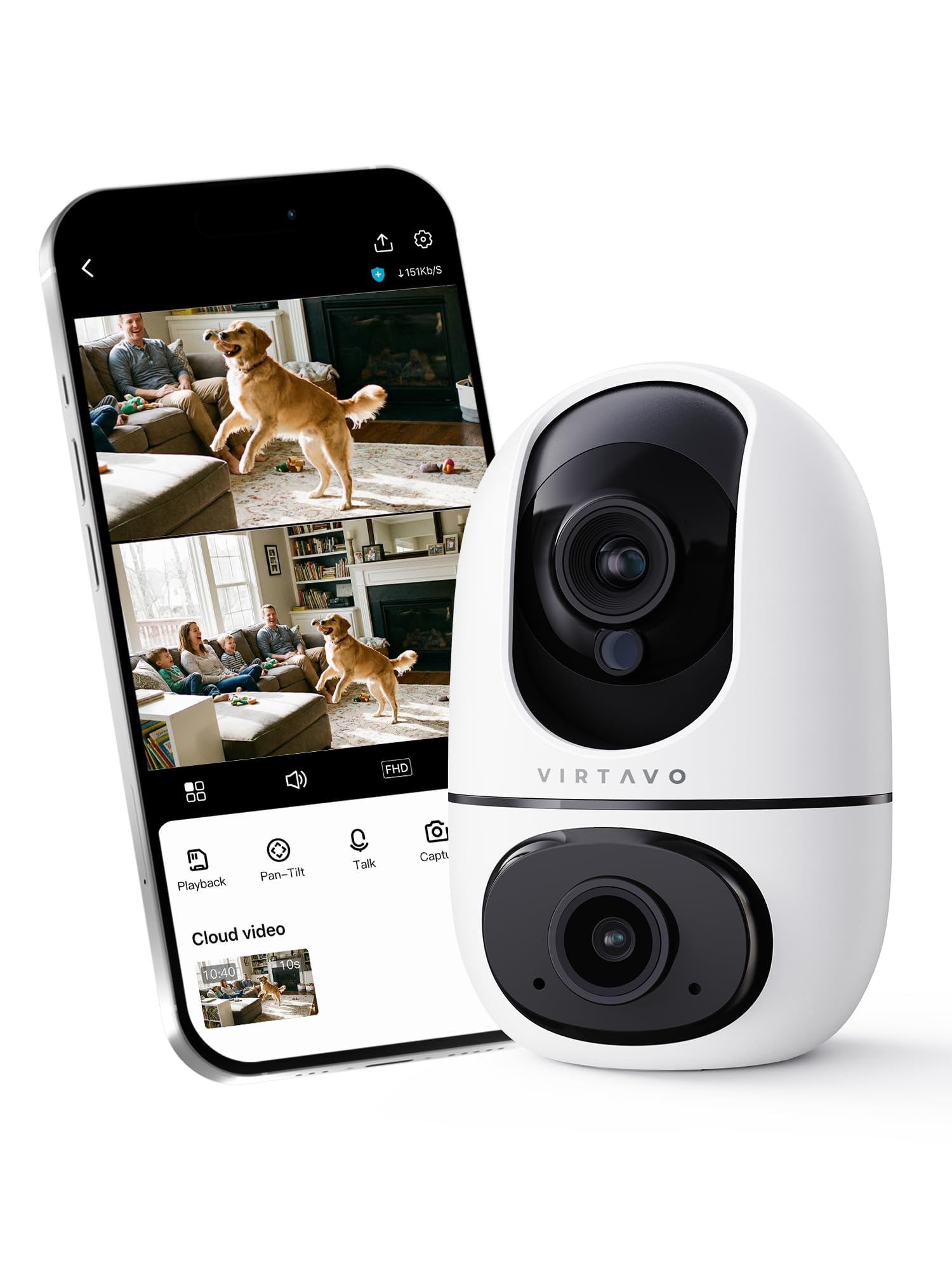
A wide room with a dog that moves between the couch and the door is exactly where the VIRTAVO XD1's dual lenses make sense. One lens holds a wide fixed view while the other pans and tracks movement, so you can see the whole room and zoom in on the dog at the same time.

The two perspectives are genuinely useful if you want context and detail without moving the camera. The fixed lens catches the room, and the tracking lens follows the dog when they cross the frame. Local microSD storage means no subscription is required, night vision reaches 30 feet, and setup is a simple QR-code scan.

We think it is the best dual-view camera here, and the 1080p feed is the main compromise. It will not match the 2K and 4K options for fine detail, but you are trading sharpness for a second angle that no single-lens camera can give you. The app lets you switch between the two views, and the camera can sit on a table or mount to a wall. If you mostly want one clean view, a standard pan/tilt camera is simpler.

Bottom line: If you want both a wide room view and a tracking view from one camera, the VIRTAVO XD1 is the dual-lens pick to beat here.

How We Tested 12 Dog Cameras — and What Actually Held Up

We built the shortlist from the models people actually cross-shop: pan-and-tilt plug-ins, wall-mounted wide-angles, and a couple of subscription-free holdouts. Anything that locked basic motion recording behind a paid plan, or that reviewers repeatedly described as dropping off the network, got cut before we ordered. That left 12 cameras, which we set up in our own homes rather than on a bench.

Setup came first. We timed how long each camera took to pair with a phone on ordinary home Wi-Fi, then pulled the router mid-afternoon to see which ones reconnected on their own and which needed a manual reboot. We also cut power to the whole house to check the same thing, because a camera that needs a reset every time the lights flicker is one you stop relying on. Apps got judged the same way: how many taps to get to a live view, and whether a second person in the house could figure it out without instructions.

Then the cameras just ran for six months. We watched them on workday afternoons to see whether the feed held up when the dog was moving and the Wi-Fi was busy, and again at night with the lights off, checking whether night vision could separate a dark dog from a dark sofa or just produced gray mush. Motion alerts got logged for a full week each — mail carrier, raccoon, curtain, nothing — so we could count false triggers against real ones, and we watched how well the tracking kept up when a dog trotted from the kitchen into the hallway. Two-way audio was tested by talking to a dog in another room and judging whether it came out as speech or static.

Build quality showed up later, in the chewed cable on one unit and the mount that sagged on another. We also tallied what each camera could do without a subscription versus what it charged for, since a cheap camera with a mandatory monthly plan isn't cheap.

How to Choose

Put connection reliability first

Resolution is easy to compare; a stable live feed is not. A 4K camera that drops offline is less useful than a 1080p camera that opens every time you check. We prioritize a strong 2.4GHz signal or a dual-band model, and we keep the camera within reasonable range of the router. If your Wi-Fi is already patchy in the room where the dog stays, fix that before you spend more on resolution. The return window matters here: test the camera for several days, not just at setup.

Decide whether you need pan, tilt, or a fixed view

Pan and tilt are worth paying for when your dog moves around a room or you want one camera to cover a doorway and a couch. A fixed wide-angle camera is simpler and often sharper for the money, but it cannot follow a dog from one side of the room to the other. Auto-tracking is a bonus, not a substitute for placement: it can lose the subject when furniture blocks the view. For a crate or a single bed, a fixed camera aimed once is usually enough.

Price the subscription before you buy

Some dog cameras require a paid plan before they will work at all; others include live viewing and local recording with no recurring fee. The difference matters more than the sticker on the camera. If you want to avoid a subscription, choose a model that records to a microSD card and confirm the card is sold separately. If you want cloud history or advanced alerts, read the plan details. We treat the total cost of ownership as part of the camera's value, not an afterthought.

Treat tossing and bark alerts are the dog-specific extras

A general security camera can watch and talk; a dog camera can also alert you to barking and, in some cases, toss a treat. That interaction is useful for a dog that gets anxious when you leave, but it is not essential for every household. Treat tossing only works if your dog will take the treat from the machine, and the treat size has to match the dispenser. If you mainly want to check in, a standard pan/tilt camera is the better value.

Plan placement, power, and more than one room

Most of these cameras are corded, so an outlet often decides where they can go. Keep cords clipped or routed away from a dog that chews, and mount the camera high enough that it cannot be knocked over. For two rooms, a two-pack can be cheaper than buying singles, but each camera needs its own power and a strong Wi-Fi signal. We like a wide view on the main room and a second camera on the dog's sleeping spot.

Frequently Asked Questions

Final Verdict

For most dog parents, the Furbo 360 is the camera we recommend first. It is the only pick here that combines a 360-degree view with dog-specific barking alerts and a treat toss, so a quick check-in can become a small interaction. The required plan is the trade-off, and the connection can drop, but no other camera here is built so directly around the dog's day.

If a subscription is a dealbreaker, the eufy Indoor Cam E30 is the better buy: 4K video, pet detection, and no required plan. For a tighter budget, the Tapo C200 covers pan, tilt, and two-way audio for less. The right choice depends on whether you want to interact with your dog or simply keep a reliable eye on the room.